Tier0 enables model editing before import and after manual creation.
Editing UNS Models before Import
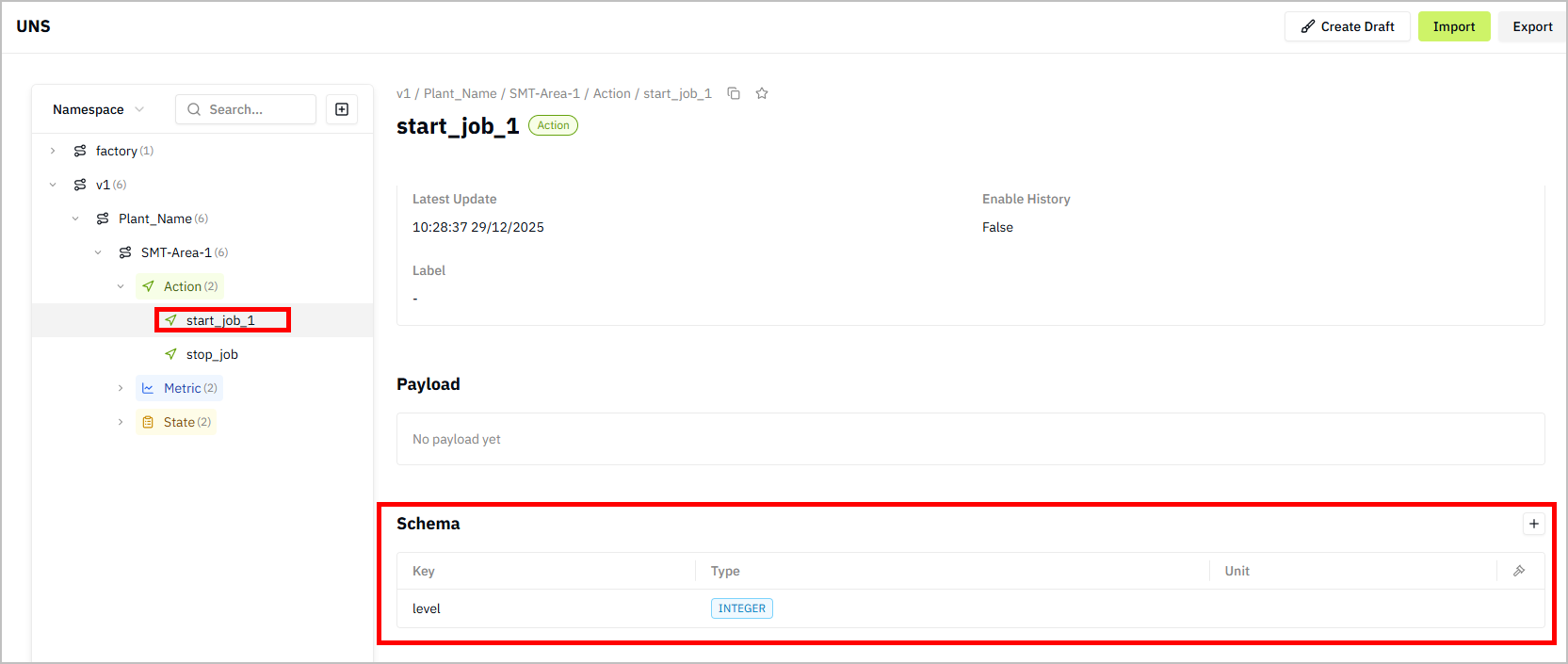
- Log in to Tier0, and then select UNS.
- Click
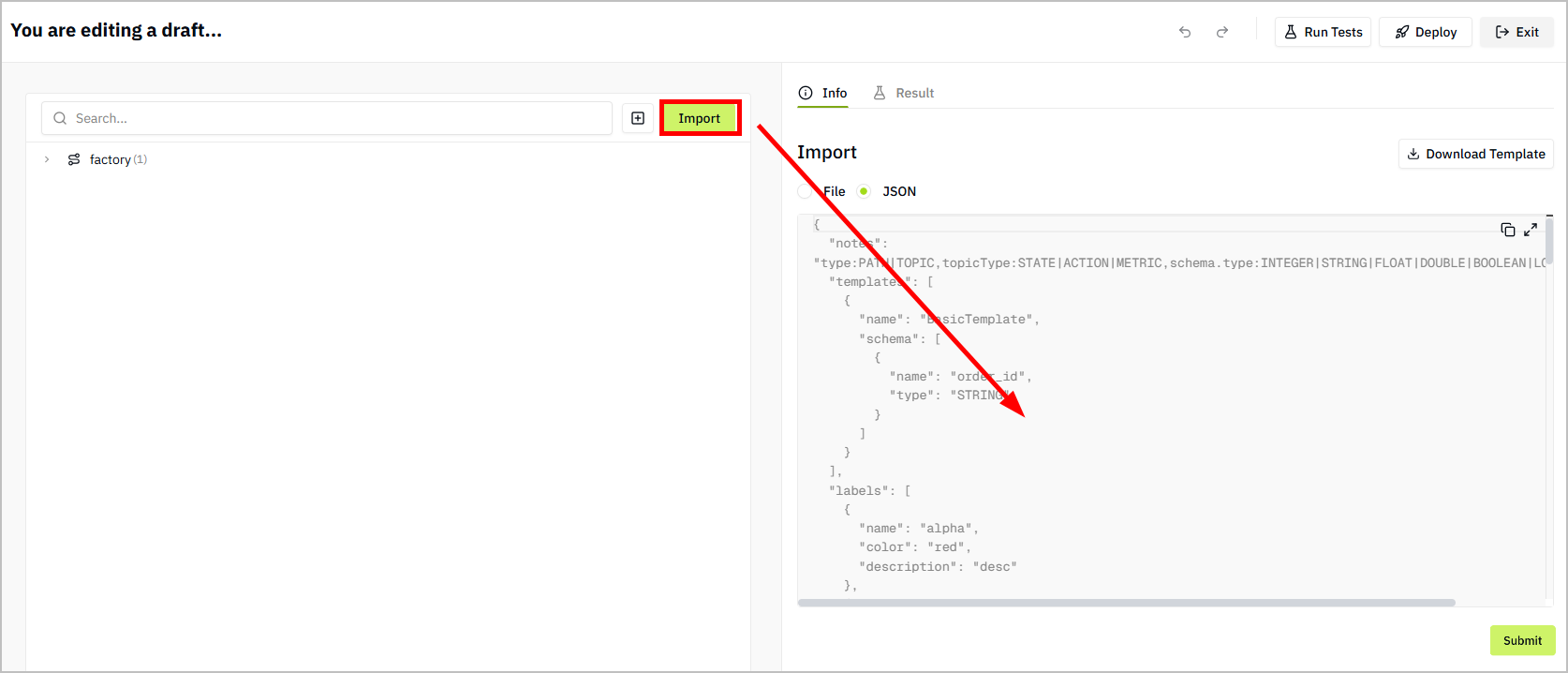
 at the upper-left corner, and then click Import.
 - Import models through JSON text or file, and then click Save.
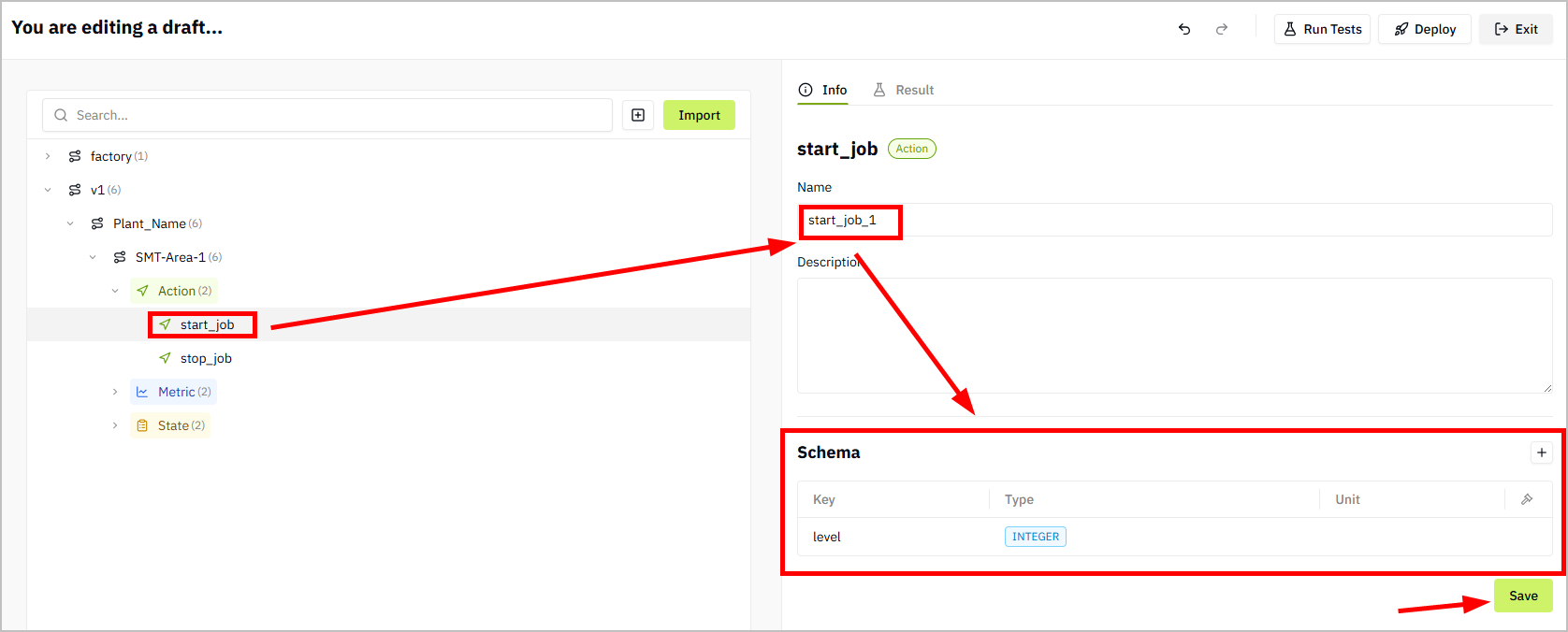
- Select paths or topics of the imported models, edit on the right side, and then click Save.
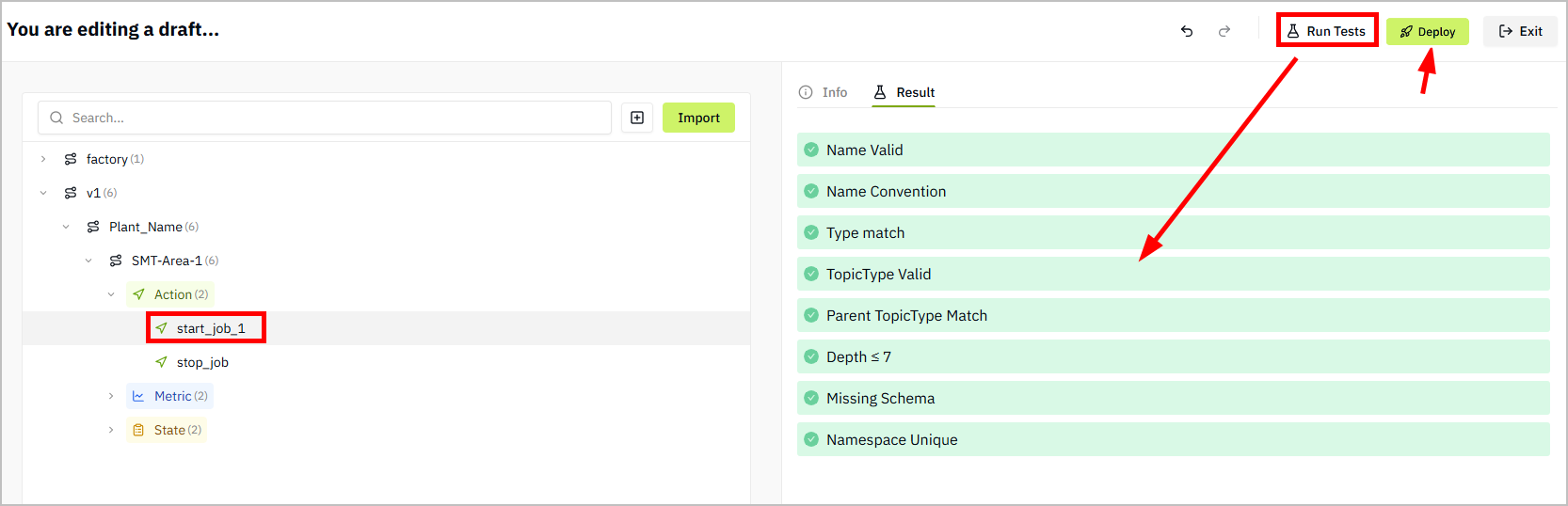
- Click Run Tests to verify the model logic. If the test passes, click Deploy.
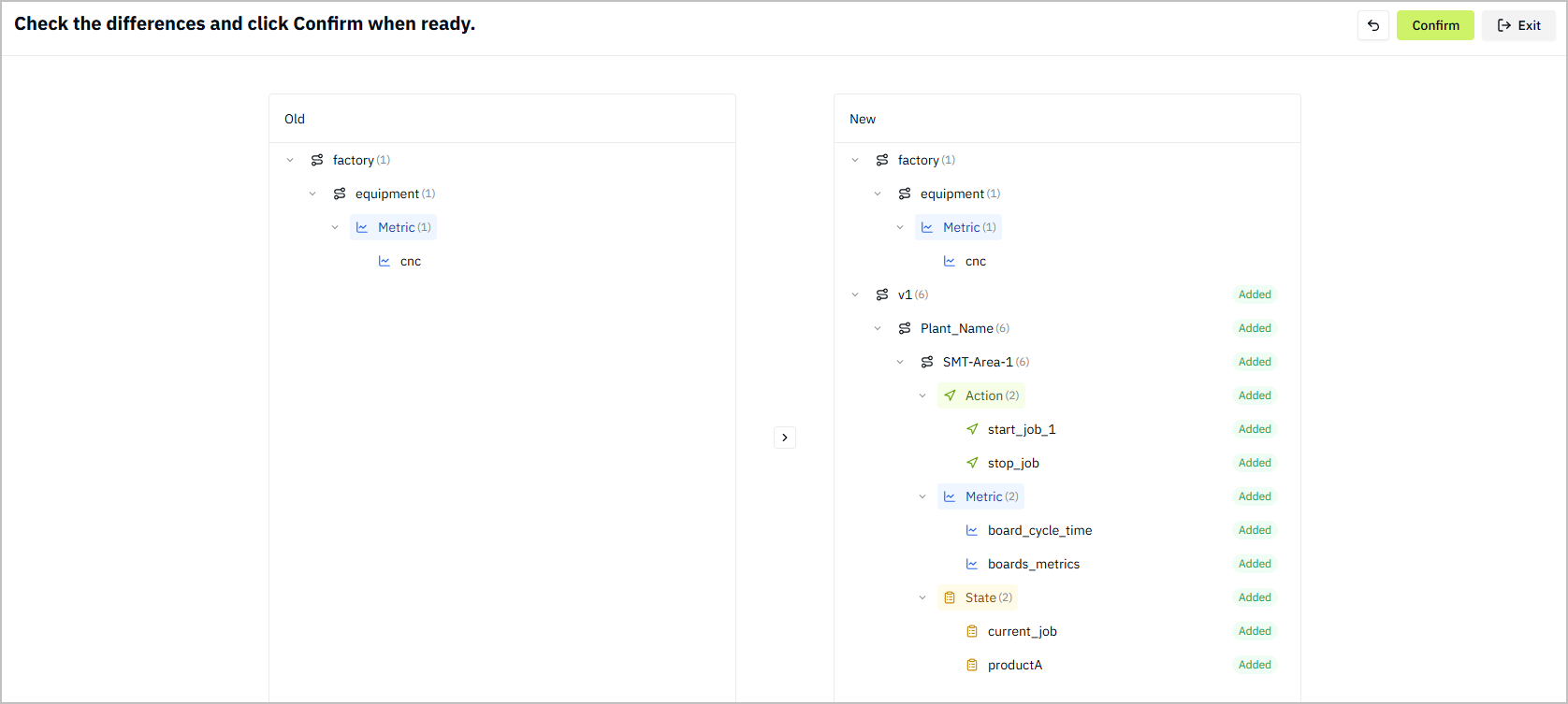
- Check the difference between the import model and the current deployed model, and then click Confirm.
- Go to the UNS homepage, select the imported model, check the changes you made.
Editing UNS Models after Manual Creation
- Log in to Tier0, and then select UNS.
- Click at the upper-left corner, and then select an existing model.
- Select paths or topics of the model, edit on the right side, and then click Save.
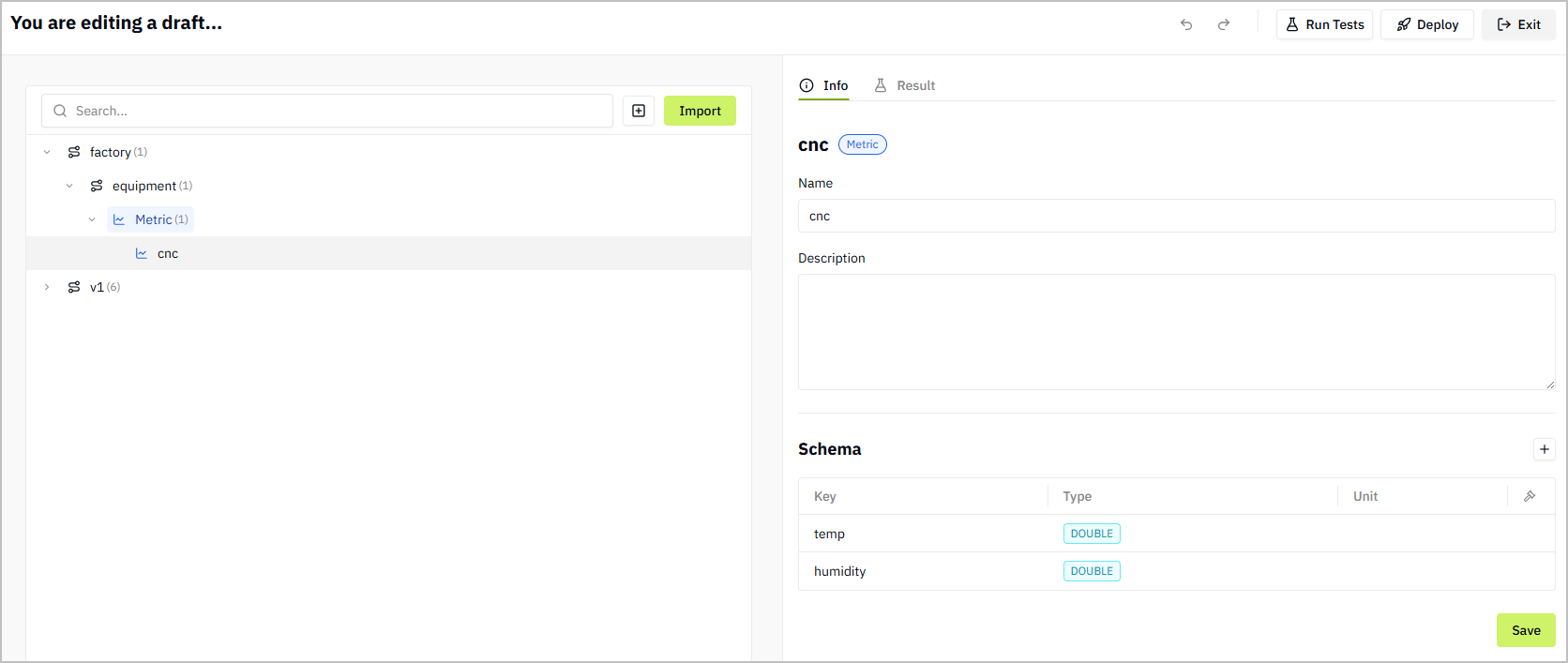
- Click Run Tests to verify the model logic. If the test passes, click Deploy.
- Check the difference between the original model and the current model, and then click Confirm.
- Go to the UNS homepage, select the edited model, check the changes you made.
tip
You can also directly create models as drafts, run tests, make sure its logic is correct, and then deploy it.