Homepage
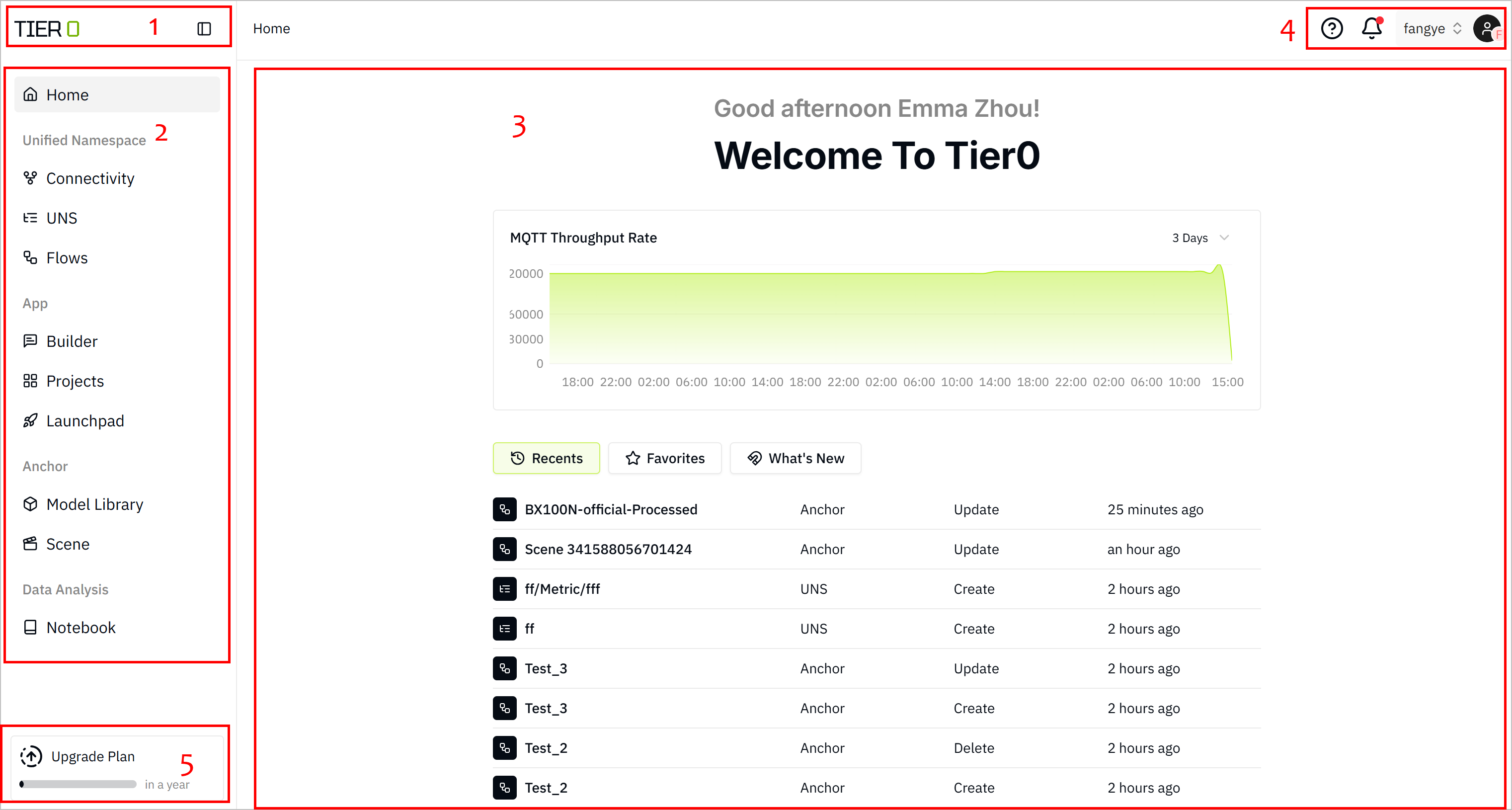
| No. | Name | Description |
|---|---|---|
| 1 | Header | Shows platform name and you can display/hide the module list. |
| 2 | Menu Bar | Lists the function menus of the platform, enabling quick access to various function modules. |
| 3 | Homepage | Displays the embedded MQTT broker throughput rate, recent activities, models/flows/notebooks added to favorites, and news. |
| 4 | General Settings | Includes help documentation, notifications, and system settings. |
| 5 | Plan Info | Displays the current plan and the remaining days till expiration. |
info
When the remaining days of the plan exceed 30 days, the plan information will no longer be displayed.
| Module | Name | Description |
|---|---|---|
| Unified Namesapce | Edge | Generates authentication credentials for third-parties to connect to the platform through MQTT. |
| UNS | Builds data models for subsequent data integration and usage. | |
| Flows | Customizes data flows using Node-RED, integrating both Source Flow and Event Flow modules to cover data connection and processing respectively. | |
| App | Builder | Uses LLM to create applications via natural language. |
| Projects | Categorizes and manages applications/function modules built on Builder. For example, a MES project contains 3 function applications such as production scheduling, material management and quality management. | |
| Launchpad | Displays all launched applications you have access to. | |
| Anchor | Model Library | Digital twin models that connect with UNS data. |
| Scene | Visualizes equipment and production scenarios in your plant. | |
| Data Analysis | Notebook | Adopts Marimo Notebook for easy python script usage. For example, train models, run SQL queries, interactive data reporting and others. |