How to Add Data Sources through Source Flow
Once the data model is built under UNS, you need to connect real data to the model for subsequent processing and use.
Adding Data Flow Manually
- Log in to Tier0, select Flows.
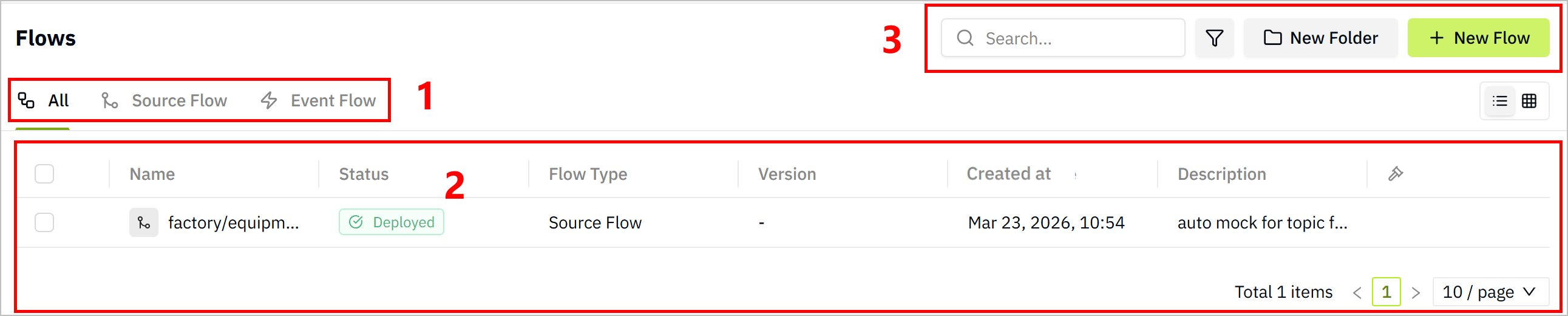
| Index | Item | Description |
|---|---|---|
| 1 | Flow Display | Select to view all flows or only one category. |
| 2 | Flow List | Displays flow information. Click the flow name to start editing the data flow. |
| 3 | Search/Filter | Search for/filter existing data flows. |
| New Folder | Add folders to categorize data flows. | |
| New Flow | Add new data flows. |
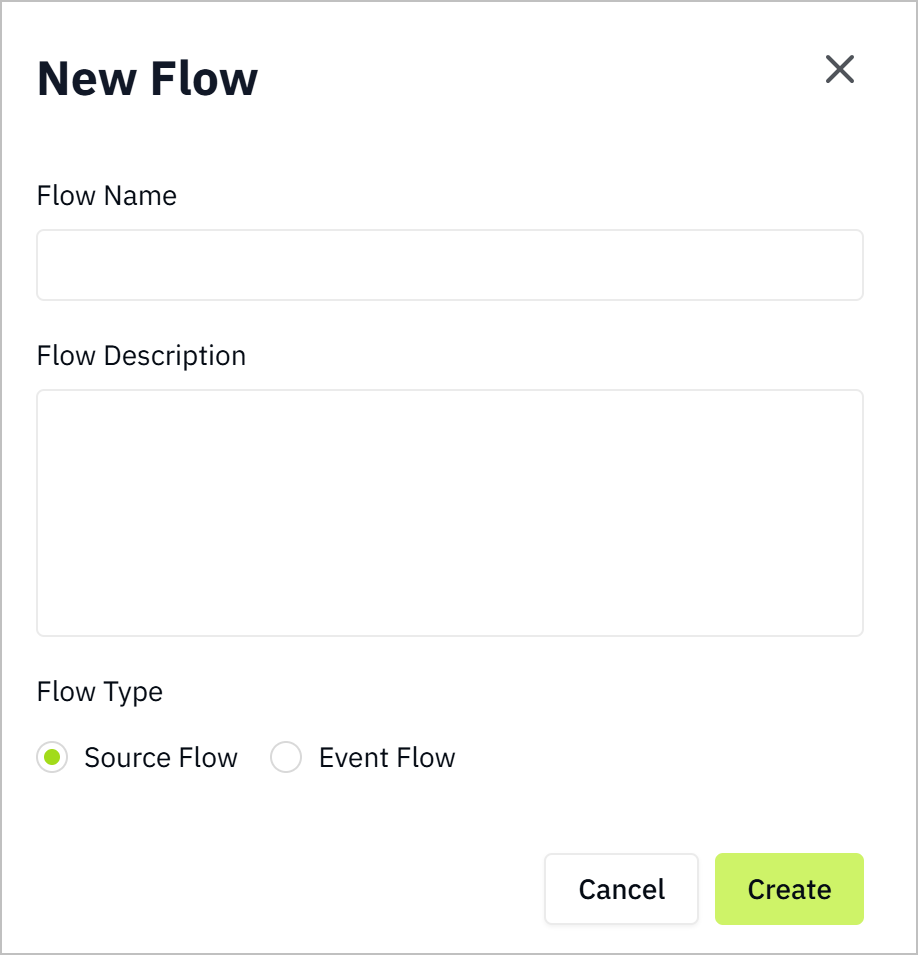
- Click New Flow, enter a name and description in the pop-up window, select Source Flow as Flow Type, and click Save.
- Source Flow: Used to collect data from data sources and send it to UNS.
- Event Flow: Used to process data from UNS.
- Click the flow you just added to enter the configuration page, and drag in nodes according to your data source type (e.g.
modbus). - Configure the data source node, and then drag in an
mqtt outnode, finish its configurations.
Add the internal broker:
emqx:1883.
Set its subscription topic to the data model in Namespace.
For example, the data model structure is
factory/equipment/cnc, the topic will befactory/equipment/cnc.
- Click Deploy at the upper-right corner, trigger the flow and the data will be sent to the corresponding model under Namespace.
tip
You can save the the flow as different versions by clicking Save Version, and switch to previous versions when needed.
Configuring Data Source through Generated Flow
note
Data flow will only be automatically generated if you enabled Mock Data when creating topics.
- Log in to Tier0, go to UNS.
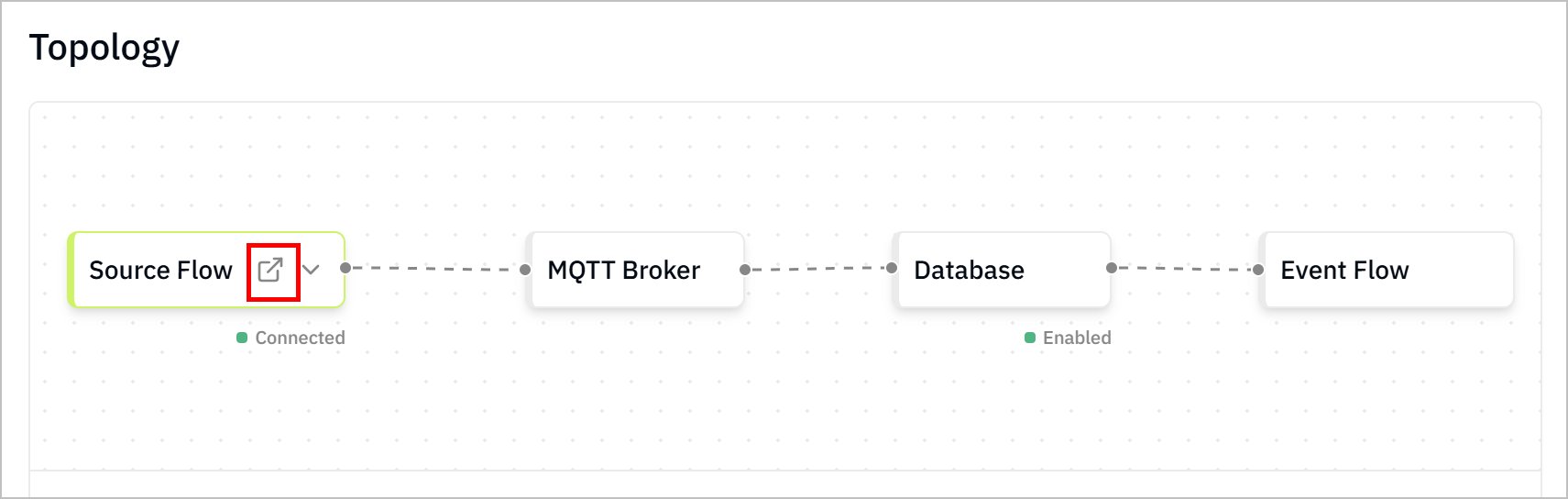
- Check the details of the created topic, scroll down to Topology, and click the Source Flow icon to access the generated flow.
- Delete the simulated data source of the flow.
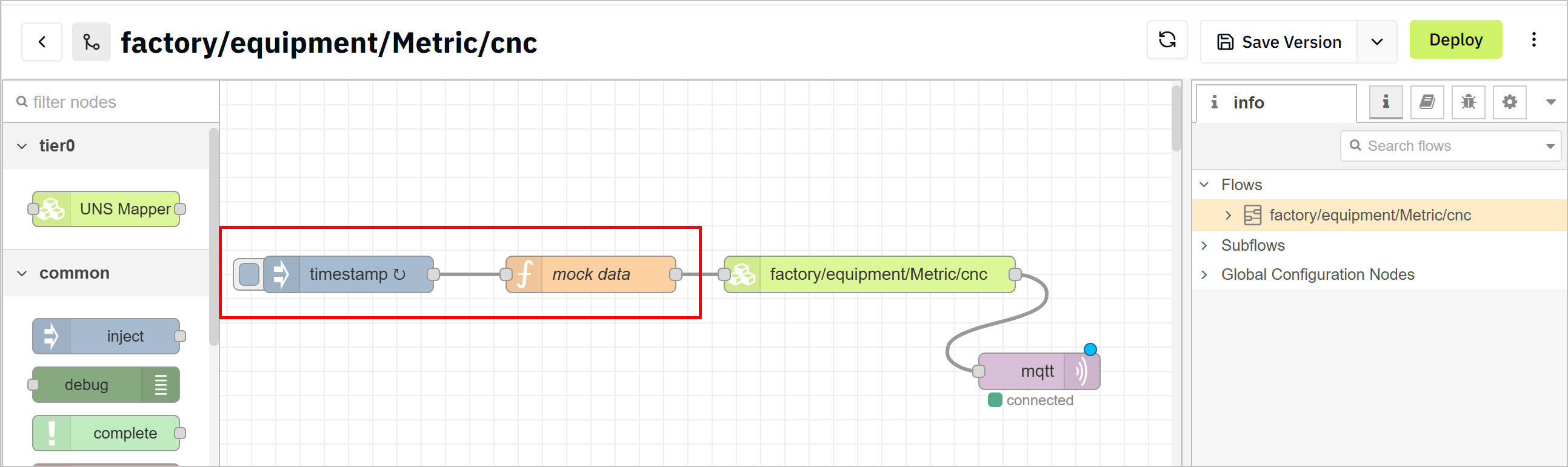
- Connect the real source node to the rest of the flow and configure it.
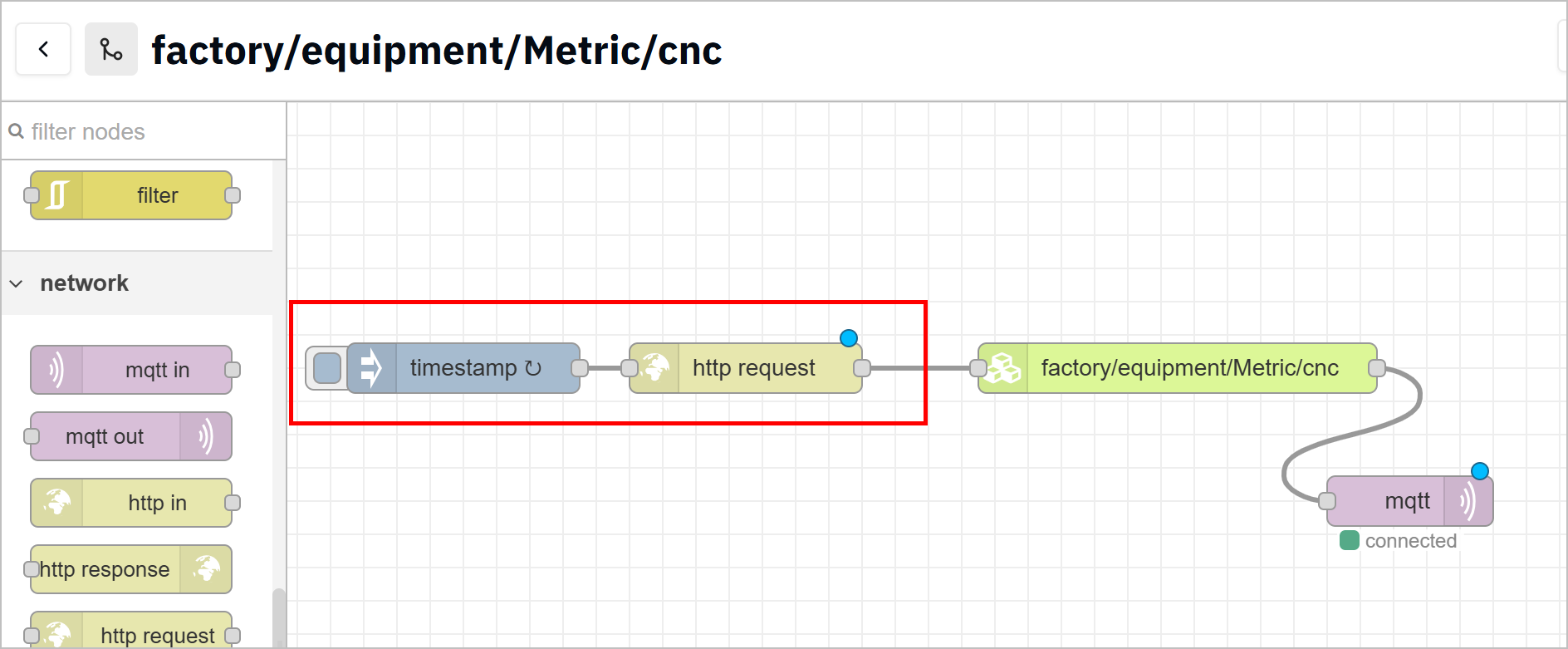
- Click Deploy at the upper-right corner, and then trigger the flow.
- Go back to UNS, check whether the data is received.